E
Exismic.
AI STUDIO
ToolsPro10X
ToolsWorkflowsProFAQ
Log in
E
Exismic.
AI STUDIO
Exismic Studio

Make something worth shipping.

Create, edit, and get things done with fast, privacy-first tools built for everyday work.

E
E
Enter ExismicExplore 50+ tools
E

Exismic.

All-in-One Creative Studio

The unified creative workspace for images, audio, video, PDFs, and code. Built for ultimate speed, power, and privacy.

All systems active

Categories

  • Image Studio
  • Gaming Studio
  • Video Studio
  • Audio Studio
  • PDF Tools
  • AI Tools

Product

  • All 50+ Tools
  • AI Assistant
  • Exismic Pro
  • Credit Shop
  • Affiliates

Resources

  • Help Center
  • Developer API
  • Changelog
  • Giveaways
  • Community Blog

Legal & Trust

  • Privacy Policy
  • Terms of Service
  • Cookie Settings
  • Refund Policy
  • DMCA Notice

© 2026 EXISMIC STUDIO. ALL RIGHTS RESERVED.

Privacy•Terms•Refunds•Support
AI Tools
AI Tools workspace
YouTube AI Summarizer

YouTube AI Summarizer

Convert any YouTube video into detailed study notes, summaries, or structured articles in seconds.

Video Notes Studio

Convert YouTube videos into detailed study notes & threads

Ready to Summarize
Instant Demonstration Blueprints ($0 Free Previews)Click to preview
Your balance: 0 Credits
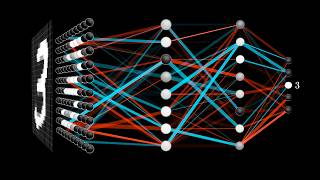
Neural Networks & Deep Learning Architecture
YouTube Video19:13

Neural Networks & Deep Learning Architecture

3Blue1Brown

Watch
~193 words • 1m read
### Summary Overview This video breaks down the mathematical foundations of artificial neural networks using visual intuition. It demonstrates how layered matrix operations, activation functions (like Sigmoid and ReLU), and weighted connections enable a network to recognize handwritten digits with high accuracy. ### Key Takeaways - **Layer Hierarchies**: Neurons in the earliest hidden layers detect low-level sub-components (edges, strokes, loops), while subsequent layers synthesize these into complete semantic digits. - **Weighted Combinations**: Each neuron calculates a weighted sum of activations from the previous layer, adds a bias term to shift the activation threshold, and passes the result through an activation function. - **Matrix Representation**: Stacking all weights into a matrix allows GPUs to process thousands of inputs simultaneously using hardware-accelerated linear algebra. - **Cost Function & Gradient Descent**: The network learns by minimizing an error cost function, nudging thousands of weights in the direction of steepest descent. ### Action Items & Practical Applications 1. When training neural networks, always normalize input pixel ranges (0.0 to 1.0) to avoid gradient explosion. 2. Initialize weights using Xavier/He initialization rather than arbitrary random constants. 3. Monitor the training vs. validation loss curve to detect overfitting early.
Output Ready· Keep your files organized & accessible
Earn daily quest credits
Creative Pipeline

Repurpose Your Notes With Companion Tools

Turn video takeaways into full essays, social posts, or clean screenshots
AI Writer Studio

Expand study takeaways into detailed newsletters, articles, or scripts.

AI Humanizer

Refine your draft into 100% natural, human-written conversational prose.

Code Snippet Studio

Capture code blocks mentioned in technical videos into glowing cards.

Guide & Overview
Instructions & tips

About YouTube AI Summarizer

Transform long YouTube videos, interviews, conference talks, and podcasts into structured summaries, timestamped highlights, and actionable takeaways in seconds.

Tool feature
Timestamped Key Moments
Jumps straight to critical talking points with video timestamps.
Tool feature
Core Takeaway Extraction
Condenses 60-minute presentations into a quick 2-minute digest.
Tool feature
Speaker Quotes & Action Items
Isolates memorable quotes, statistics, and follow-up points.
Tool feature
Direct URL Input
Runs immediately from any web link with zero video download required.

How to Use YouTube AI Summarizer

Fast and easy from start to finish

01
Step 1

Step 1

Paste any public YouTube video link into the URL field above.

02
Step 2

Step 2

Select your summary style (concise bullets, key insights, or timestamped breakdown).

03
Step 3

Step 3

Review the generated overview and copy the summary notes or export to markdown.

Why Choose Exismic YouTube AI Summarizer?

What you can do with this tool

Timestamped Key Moments: Jumps straight to critical talking points with video timestamps.

Core Takeaway Extraction: Condenses 60-minute presentations into a quick 2-minute digest.

Speaker Quotes & Action Items: Isolates memorable quotes, statistics, and follow-up points.

Direct URL Input: Runs immediately from any web link with zero video download required.

Popular Real-World Use Cases

How creators, students, and professionals use YouTube AI Summarizer

Extracting quick research insights from technical podcasts and conference keynotes

Reviewing lecture recordings and tutorial series before exams

Turning video interviews into readable article summaries and social threads

Frequently Asked Questions (FAQ)

Answers to common questions about YouTube AI Summarizer

No, simply paste the public YouTube video URL into the input field to summarize it immediately.

Yes, our summarizer efficiently processes extended video transcripts into concise, chapter-based summaries.

Yes, you can copy the markdown or plain text output directly into Notion, Obsidian, or Google Docs.

Explore More AI Tools

Popular companion tools to edit and enhance your projects

View All Tools
Instant

AI Logo Generator

Create distinctive, modern logo concepts for your new brand, YouTube channel, or side project in seconds with customized colors and visual styles.

Open Tool
Instant

AI Image Generator

Type any creative prompt and bring it to life as vibrant digital art, photorealistic portraits, or fantasy landscapes with rich lighting.

Open Tool
Instant

AI Landing Page

Describe your product or service and get a complete, eye-catching website layout with hero sections, benefit lists, and call-to-action buttons.

Open Tool
Instant

Artistic AI QR Code

Turn plain black-and-white QR squares into artistic, eye-catching visual art that people love scanning on posters, menus, and business cards.

Open Tool